
Search

7 Best Key Digital HDMI Extenders for 4K Buyers?

Choosing a Key Digital Hdmi Extender for 4K is about more than matching ports. The picture may look flawless in a showroom, then flicker when a long cable run crosses a rack, wall, or ceiling. Distance, cable quality, resolution, refresh rate, and HDCP compatibility all affect performance. Small details matter.

The market context is growing. The Consumer Technology Association’s 2024 U.S. Consumer Technology Industry Forecast projected $512 billion in U.S. consumer technology retail revenue for that year. AVIXA’s 2024 Industry Outlook and Trends Analysis also projected global professional audiovisual revenue to reach $325 billion by 2029. These reports describe broader markets, not HDMI extenders alone, but they show why reliable AV connections matter in homes and businesses.

Key Digital founder Mike Tsinberg is a relevant engineering voice in this field. However, I could not verify a published quotation from him specifically about HDMI extenders, so I won’t invent one. Instead, this guide applies a practical rule: check the entire signal path, not just the extender’s headline resolution. A 4K label is not enough. Check supported refresh rates, transmission distance, audio formats, and whether the product needs a compatible receiver at the display. Then compare seven Key Digital options against your actual setup. A little caution helps. A bright spec sheet cannot reveal every installation’s weak point.
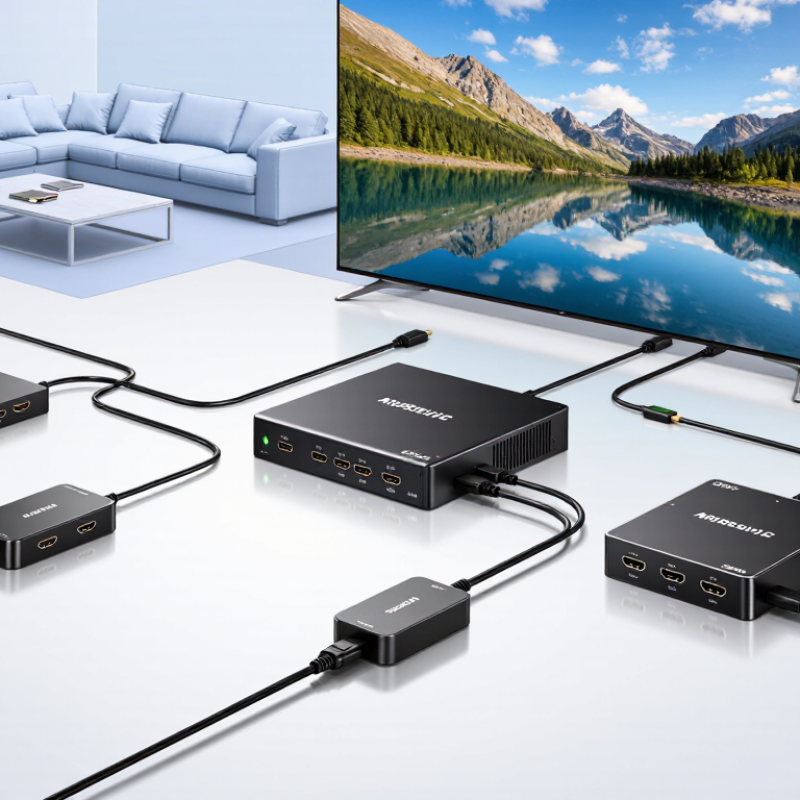
7 Best Key Digital HDMI Extenders for 4K Buyers?

How HDMI Extenders Transmit 4K Signals Over Long Distances

7 Best Key Digital HDMI Extenders for 4K Buyers?

How HDMI Extenders Transmit 4K Signals Over Long Distances

A 4K HDMI extender uses a transmitter and receiver to move video beyond ordinary HDMI cable limits. The transmitter connects to the source, such as a media player or game console. It sends the signal through Cat6, Cat6a, or fiber cable. The receiver then converts it back to HDMI near the display. In a well-planned installation, a 30-meter Cat6a run can carry a stable 4K signal with minimal delay.

Bandwidth matters. 4K at 60Hz needs far more capacity than standard high-definition video. Check support for 18Gbps bandwidth, HDR, HDCP compatibility, and the required color format. Some models reduce chroma detail or refresh rate when distance increases. The picture may still look sharp, but fast scenes can reveal the difference. EDID management also helps the source recognize the display correctly.

Installation details often decide performance. Use short, certified HDMI leads at both ends. Keep network cables away from power lines and avoid sharp bends. An installer should test the system with bright HDR scenes, small text, and rapid camera movement. Heat can also affect reliability inside a closed cabinet. My own preference is to leave room around every unit, although that is easy to overlook. Claims about maximum distance deserve caution; walls, connectors, and cable quality can change the result. A model that works perfectly on a workbench may behave differently after installation.

Which 4K Standards and Compatibility Features Matter

An extender labeled 4K is not enough. The important question is which HDMI standard it supports.

HDMI 2.0 usually handles 4K at 60Hz with bandwidth near 18Gbps. HDMI 2.1 can support 4K at 120Hz, but only when the source, display, and cables support it too.

Check the exact specification, not just the product headline.

HDCP compatibility matters when using streaming players, game consoles, or protected movie content. Look for HDCP 2.2 or newer support across the entire signal path. HDR10 support is useful for brighter highlights and deeper contrast. Dolby Vision compatibility may also matter, but it should be clearly stated. Some extenders pass HDR but reduce color quality to 4:2:0. That compromise can be visible on a large screen.

Distance changes performance. A long cable run may need active copper, fiber, or signal equalization. Test the system with the real source and display. EDID management can prevent black screens when devices negotiate different formats. I have found that automatic settings are convenient, but they are not always reliable. Manual EDID control helps, though it adds setup work. Check 4K frame rate, chroma format, audio return, and latency before installation. Small details matter.

How to Compare Key Digital Extenders by Performance and Design

Choosing a 4K HDMI extender requires more than checking the highest advertised resolution. In real installations, I compare signal stability, cable distance, latency, and heat management. A reliable unit should preserve sharp text, natural skin tones, and smooth motion across the full distance. Test it with actual 4K content, not only a static menu. Some extenders perform well on short cables but show dropouts near their maximum range.

Design also affects daily performance. A compact enclosure can fit behind a display, yet limited ventilation may create unwanted heat. Look for clear status indicators, secure connectors, flexible mounting options, and dependable power delivery. Shielded construction may reduce interference in crowded equipment cabinets. I also check whether the transmitter and receiver support the same signal formats. Compatibility details are easy to overlook. I have made that mistake before.

Tips: Measure the cable path before purchasing. Leave extra length for bends. Test the extender with your source, display, and installed cable. Confirm support for HDR, HDCP, audio formats, and refresh rates. A model with slightly lower specifications may deliver better results when its thermal design and firmware are more mature. Reviews from professional installers can reveal long-term issues, although no review replaces testing in your own environment. Even a promising specification sheet can hide practical limitations.

7 Best HDMI Extender Types for 4K Buyers — How to Compare Extenders by Performance and Design

A technology-based comparison, not a ranking of specific products. Actual resolution, distance, HDR, audio, and control support depend on the transmitter, receiver, source, display, and cable.

Extender design Typical connection 4K performance Distance considerations Design strengths Check before buying
HDBaseT 3.0 extender Point-to-point over suitable category cable, commonly Cat6A Designed to support uncompressed 4K60 4:4:4 within the system’s specified limits Some systems specify runs up to 100 m; cable quality and installation matter A strong fit for fixed installations needing high-bandwidth video Confirm the exact supported HDMI features, cable category, and maximum distance
HDBaseT 2.0 extender Point-to-point over category cable Capabilities vary by system; 4K30 4:4:4 or 4K60 with chroma subsampling are common design targets Many systems are designed for runs up to 100 m with specified cable Can suit long, permanent runs where its video format meets the display requirement Check chroma format, refresh rate, HDR, and whether the stated distance applies to your cable
Fiber-optic HDMI extender Transmitter and receiver linked by fiber Can carry high-bandwidth 4K formats; supported refresh rate and HDR depend on the system Long-distance models are available; maximum reach is model- and fiber-specific Useful for long routes and locations where electrical isolation is desirable Check fiber type, connectors, power requirements, and whether the link is uncompressed
AV-over-IP extender Encoders and decoders connected through an Ethernet network 4K is available; many systems use compression, so image quality and latency vary Distance depends on the network design, link speed, and number of network hops Scales to multiple sources and displays more readily than a simple point-to-point link Verify bandwidth, compression, latency, multicast support, and network configuration
Non-HDBaseT HDMI-over-Cat extender A matched transmitter and receiver over category cable Ranges from lower-bandwidth 4K formats to higher refresh rates, depending on the design Use only within the manufacturer’s rated distance and cable specification Often a straightforward option for a dedicated connection between two devices Do not assume compatibility between different systems; confirm the exact resolution and cable limits
Wireless HDMI extender Radio link between a transmitter and receiver Some systems support 4K; refresh rate, compression, and latency differ substantially Range depends on line of sight, walls, interference, and the system’s radio design Avoids running a long signal cable between locations Test the actual room; check latency and reliability for gaming or live presentations
Active optical HDMI cable A single directional cable with optical signal conversion built in 4K support depends on the cable’s stated bandwidth and HDMI feature compatibility Long cable lengths are available; performance is specific to the cable model and length Simple point-to-point installation without separate transmitter and receiver boxes Check direction, bend radius, connector power needs, and return policy before installation

Comparison tip: Match the extender to the complete signal chain. Confirm the required resolution, refresh rate, chroma format, HDR, HDCP version, audio, and control features, then verify the rated distance using the intended cable.

Seven Key Digital HDMI Extenders for Different 4K Setups

Seven Key Digital HDMI Extenders for Different 4K Setups

A 4K extender should match the room, cable path, and video signal. For a short run, an active HDMI repeater can strengthen a signal without adding a second cable type. Cat6 extender kits suit longer routes through walls, while HDBaseT models can carry video and control signals over one cable. Check the supported resolution and refresh rate; “4K” alone does not tell the whole story.

Fiber extenders are useful for long runs or electrically noisy spaces, but they may need careful cable handling. Wireless kits avoid visible cables across a room, though walls and nearby devices can affect stability. HDMI-over-IP systems can distribute video across a network, but they require compatible hardware and sensible network planning. A splitter-and-extender kit can feed multiple displays, yet each screen may behave differently with EDID settings. It is an easy detail to miss. Not always plug-and-play.

Tips: Before buying, measure the cable route, not just the room distance. Confirm HDR, HDCP, and audio support at your intended 4K format. Test the full setup with your actual source and display; small compatibility surprises can still happen.

How to Match an Extender to Your Source, Display, and Cable Run

A 4K HDMI extender is only a good match when the source, display, and cable route work together. Start with the source device: check its resolution, refresh rate, HDR output, and audio format. Then compare those details with the display’s supported inputs. An extender that handles 4K at 30 Hz may not suit a setup that needs 60 Hz. Small details matter.

Check the extender’s full signal specifications, not just its “4K” label. HDCP support, color format, and audio pass-through can affect whether a console, streaming device, or receiver works as expected. EDID handling also matters when several devices share a display. It can help components agree on a usable signal, though it cannot fix every compatibility issue.

Measure the actual cable path, including turns and wall runs, rather than estimating distance across the room. Compare that length with the extender’s stated range and required cable type. Some systems use category cable; others use fiber or a direct HDMI cable. Cable quality and installation can change results. It is tempting to choose the longest advertised range, but that may add cost without helping a short run. For a difficult route, test the setup before closing walls or securing cables. A little uncertainty is useful here: published limits do not guarantee identical performance in every room.